Outfits for the weather, from your own closet
Wearbird reads the day’s forecast from Apple Weather and suggests outfits for the weather made only from clothes you already own. It adds a coat when it’s cold or raining and tells you when a layer can come off.
Last updated: October 23, 2026
The short answer: allow your location, or pick a city, and Today shows that day’s forecast with outfit ideas that fit it. Every idea comes from your own closet. A line under each look says why it fits, like “Fits 50–59° and rain”.
How it works
- Give each piece a warmth. When you add a piece, Wearbird guesses its kind, colour and warmth (light, mid or warm) on your phone. You can change any of them.
- Let Wearbird see the forecast. Use your approximate location or pick a city. The forecast comes from Apple Weather. Your location goes to Apple for it, not to our servers.
- Open Today. The ideas for each day and each moment fit that day’s temperature and rain. Tap a day in the strip to see the ideas for later in the week.
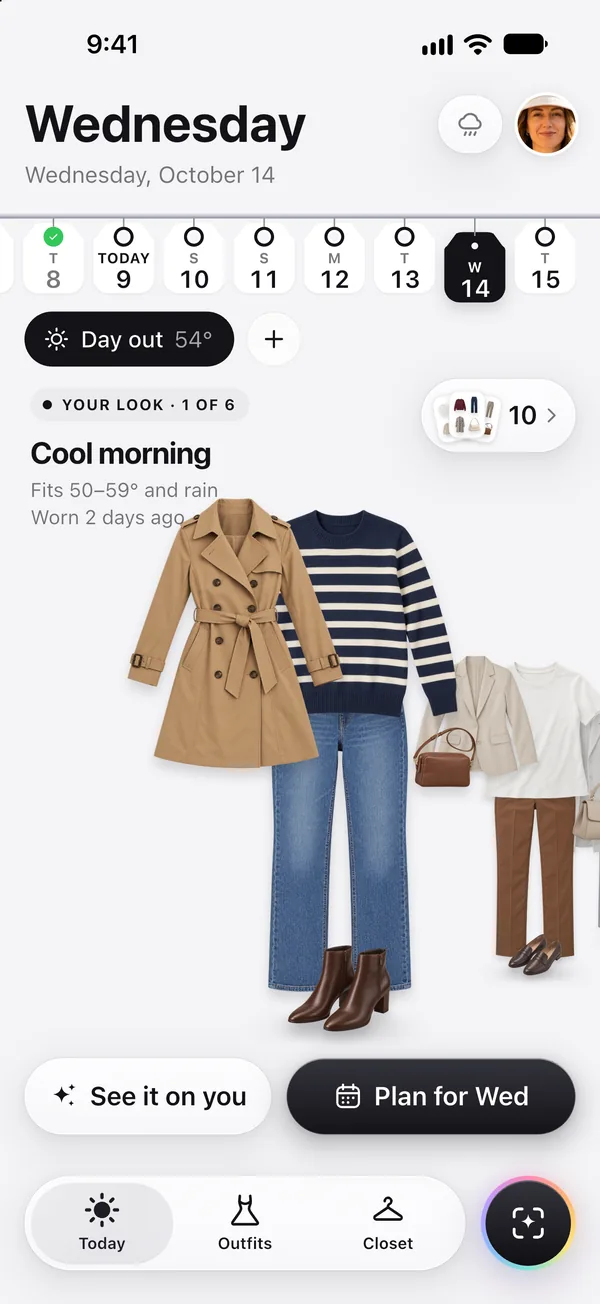
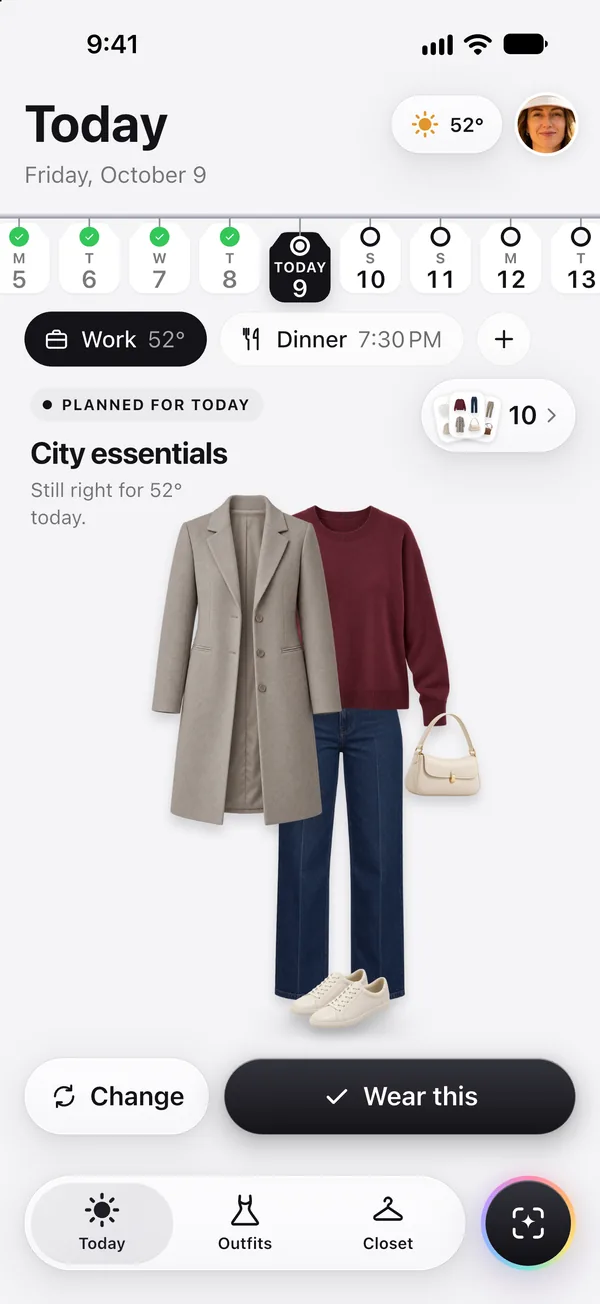
What the weather changes
- Warmth. A look must be warm enough, but not too warm, for the day. A warm coat counts too, so a light dress can still work on a cool day with the coat on.
- A coat or jacket. It joins the look when it’s under 15 °C (59 °F) or raining, as long as it suits the occasion and the colours.
- Rain. On a rainy day, looks made only of light pieces drop out.
- The hours that matter. A dinner moment is judged on the evening’s temperature, not the afternoon’s. A mild day whose coolest hour is cold still asks for the coat.
- When to take a layer. Today’s weather line can say “Cool until 11 AM, keep the cardigan on” or “Rain from 4 PM, take your trench.”
- How you feel the cold. Tell Wearbird “I run cold” or “I run warm”. If a look felt too cold or too warm, say so in Not for me, and the next ideas shift by a degree.
Free, instant, and yours
Weather ideas are worked out by rules on your phone. They are instant, they use no AI credits, and the same day gives the same ideas. They also prefer pieces you haven’t worn for a few days, so you don’t get the same outfit day after day.
Good to know
- Ideas can only use what’s in your closet. If nothing fits, Today says the moment needs more pieces, and Ask for a look can name the one piece that would make it work.
- If the forecast can’t load, looks skip the weather until it’s back.
- Wearbird is for iPhone and iPad with iOS 17.6 or later. There is no Android version.
Questions
Which app suggests outfits based on the weather from my own closet?
Wearbird does, free on iPhone and iPad. It reads the forecast from Apple Weather and suggests outfits made only from clothes you added to your closet, with a coat on cold or rainy days.
Where does Wearbird get the weather?
From Apple Weather, for your approximate location or a city you pick. Your location goes to Apple to get the forecast; it isn’t sent to Wearbird’s servers.
Do I have to share my location?
No. You can pick a city instead, and change it at any time. The ideas then follow that city’s forecast.
Do weather outfit ideas cost AI credits?
No. They are made by rules on your phone, so they are free, instant and unlimited. AI credits are only used for AI pictures, like lifting pieces out of a photo.
What if I always feel colder than the forecast?
Choose “I run cold” in the app, and Wearbird adds the coat sooner. If a look felt too cold or too warm, tell it in Not for me, and later ideas move by a degree at a time.
Can it plan outfits for the weather later in the week?
Yes. Tap a day in the day strip to see its forecast and its ideas, then plan one for that day. A planned look is checked again against the forecast on the day.
More about Wearbird
Wearbird is free on iPhone and iPad. No ads, no subscription.