Turn one outfit photo into separate clothing items
Pick one photo of an outfit, tap Lift the outfit, and Wearbird finds every piece in it and makes a clean product shot of each one for your closet. It takes about 20 seconds and uses 1 AI credit; new users get 3 free.
Last updated: October 23, 2026
The short answer: Wearbird’s Lift with AI turns one outfit photo into separate clothing items. From one photo of a woman in a hat, top, trousers, bag and sneakers, it made five product shots, each named, like “Brown pleated trousers”, and added them to her closet. The pictures below are that real result, unretouched.
How it works
- Pick a photo. Tap Lift, then choose a photo of an outfit from Photos, take one, or pick a frame from a video. A mirror selfie or a photo someone took of you both work.
- Tap Lift the outfit. Wearbird finds each piece and names it while you wait, usually about 20 seconds. You can leave; it keeps going.
- Keep what you want. Each piece comes back as a product shot on a plain background. Drop any you don’t want, then tap Add to closet.
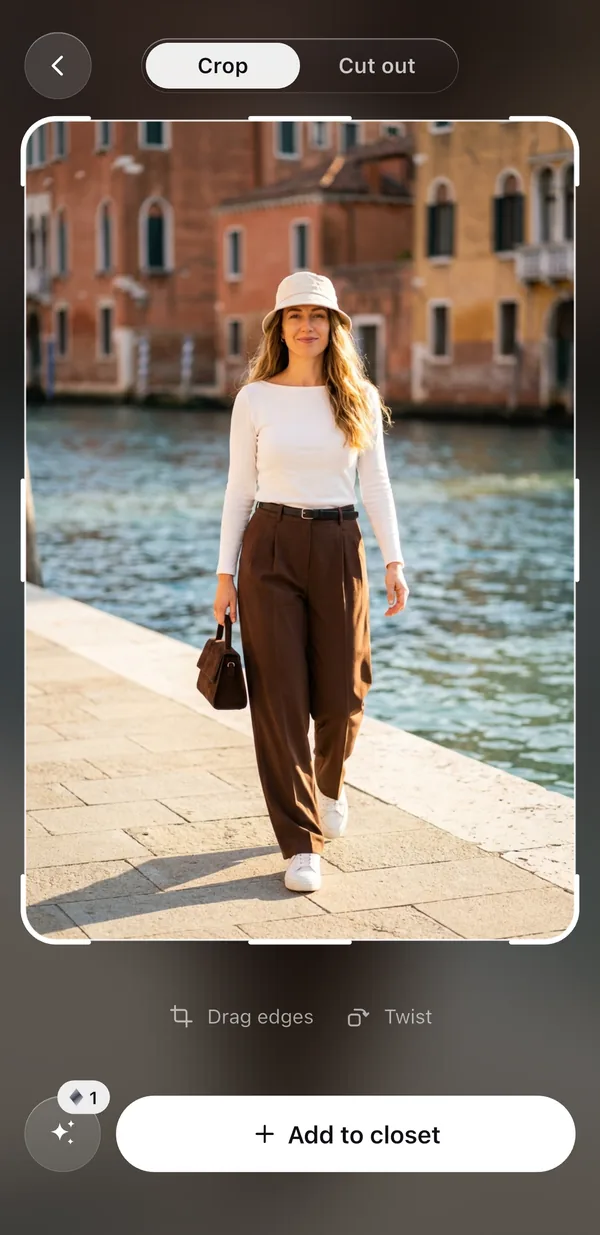
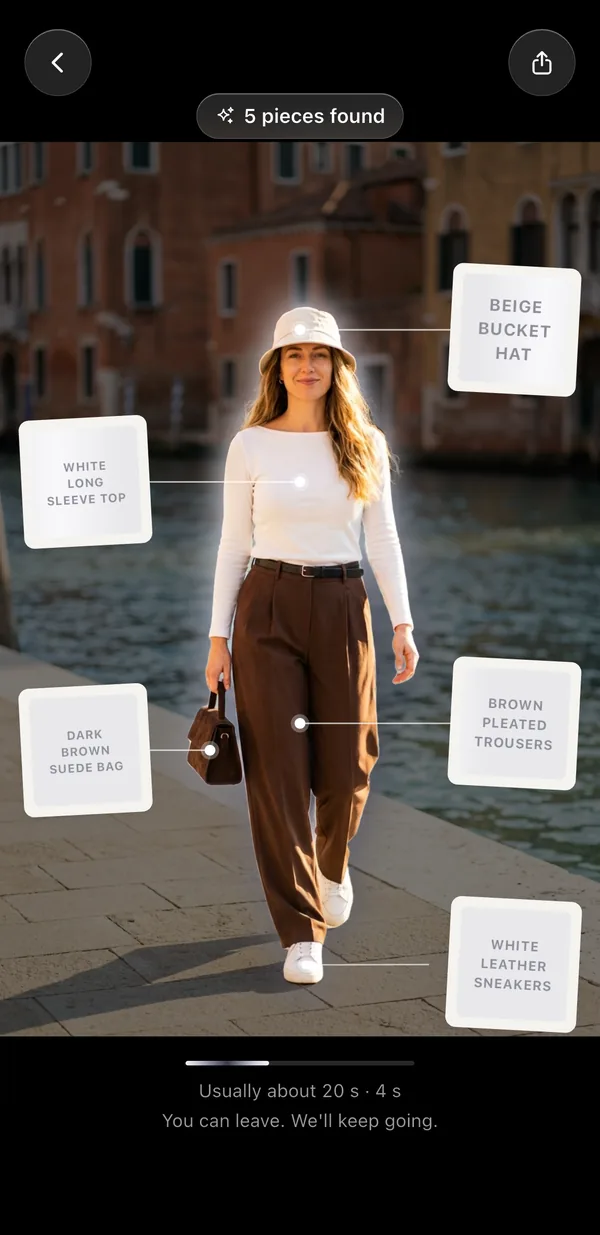
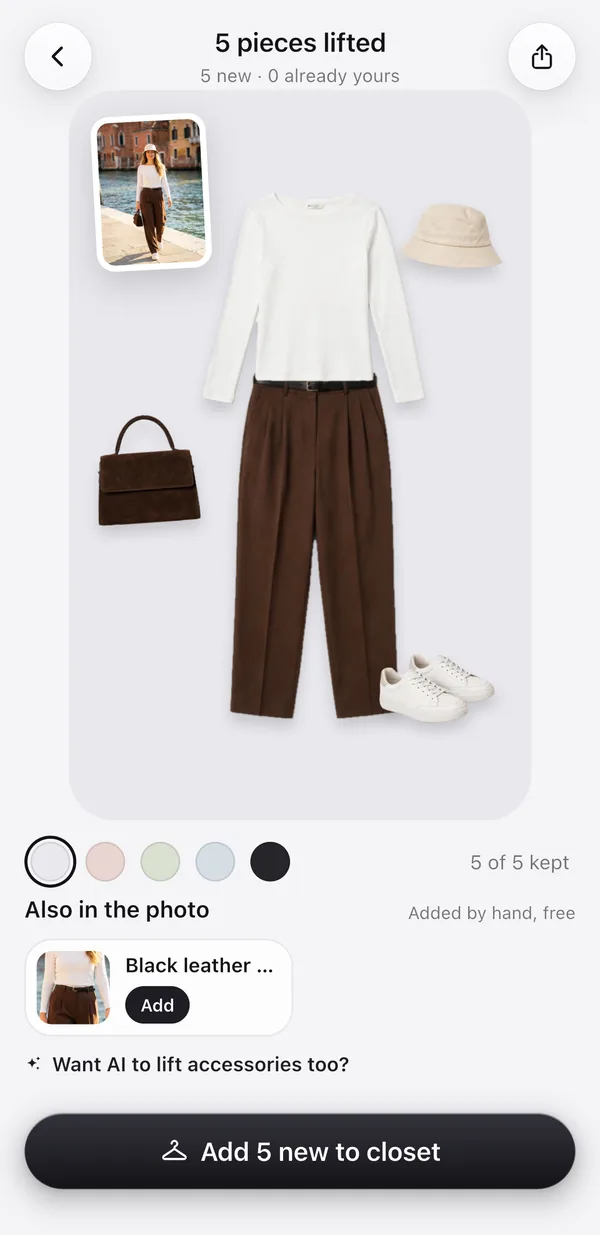
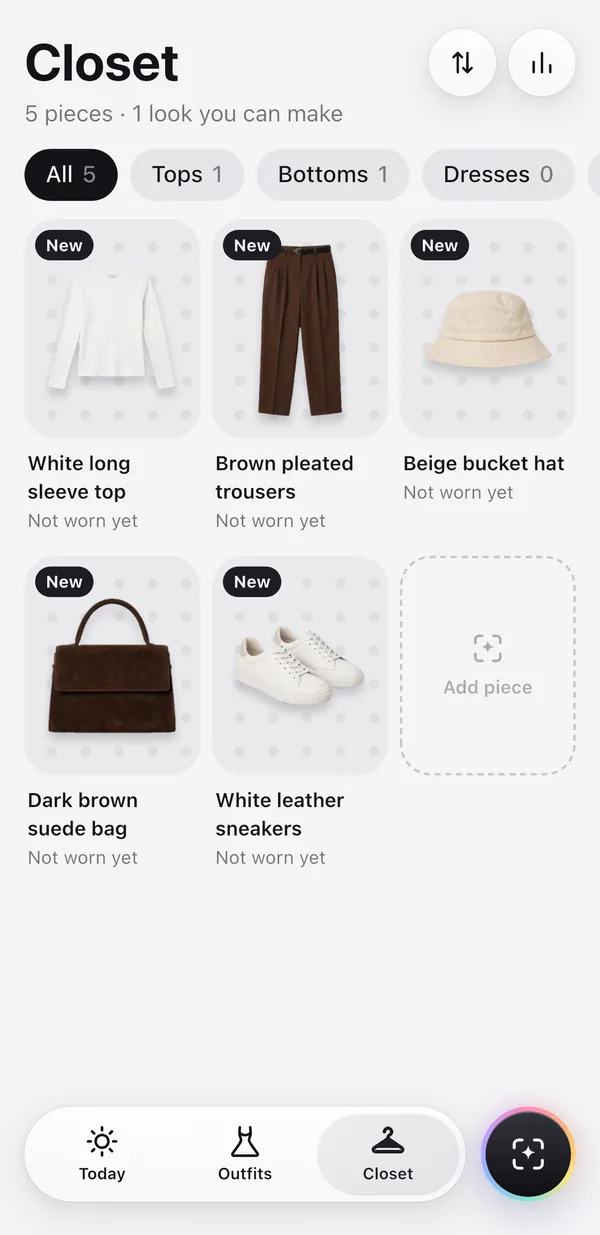
The woman in the photo is AI-generated, not a real person. The four screens are a real run of Lift with AI on October 23, 2026: one photo, one credit, about 19 seconds.
What you get
- One product shot per piece. Tops, bottoms, dresses, coats, hats, bags and shoes each become their own picture on a clean background. Shoes come back as a pair.
- Names and tags. Each piece gets a name, a kind and a colour, so outfit ideas and filters work straight away. You can change any of them.
- The extras it noticed. Small things like a belt show up under “Also in the photo”, where you can add them by hand for free.
- Outfits right away. The new pieces go into your closet, the fitting room and Today’s ideas.
Lifting one piece, for free
You don’t need AI for every piece. Crop to one piece and tap Cut out: Wearbird lifts it off its background on your phone, for free, and your photo never leaves your phone. Product photos from a shop usually lose their background by themselves. Lift with AI is for the moment you want a whole outfit, or a clean product shot of a piece that’s being worn.
Good to know
- Each Lift with AI uses 1 credit, however many pieces it finds. New users get 3 free credits, and a lift that fails gives its credit back.
- The photo needs one person, and at least 800 px on its short side.
- The photo goes to our AI provider, OpenRouter, only after you allow it. It is deleted from our server within 48 hours and isn’t used to train AI models. The product shots are kept on your phone.
- You choose which pieces to keep before anything is added to your closet.
Questions
Which app can turn one photo of my outfit into separate clothing items?
Wearbird can, on iPhone and iPad. Its Lift with AI finds each piece in one outfit photo and makes a separate product shot of each, ready for your digital closet. It uses 1 AI credit per photo, and new users get 3 free.
How long does Lift with AI take?
Usually about 20 seconds for a whole outfit. You can leave the screen while it works; Wearbird keeps going and shows the pieces when they’re ready.
Is it free?
The app is free, and new users get 3 free AI credits. Each Lift with AI uses 1 credit, however many pieces are in the photo. Adding pieces one at a time with Cut out is always free and happens on your phone.
What happens to my photo?
It is sent to our AI provider, OpenRouter, only after you say yes in the app. Our server deletes it within 48 hours, and it is never used to train AI models. Your closet pictures stay on your phone.
What kind of photo works best?
One person, head to toe or close to it, in good light, with the clothes easy to see. A mirror selfie works. The photo must be at least 800 px on its short side. To lift a single piece instead, crop to it first.
Can I lift a piece from a photo of just the clothes?
Yes. Crop to the piece and tap Cut out to lift it off its background for free on your phone. If you want a clean product shot made with AI, Lift with AI works on a single cropped piece too, for 1 credit.
More about Wearbird
Wearbird is free on iPhone and iPad.