See an outfit from your closet on a photo of you
Add one full-length photo of yourself, and Wearbird shows any outfit from your closet with you. The lookbook view is free and made on your phone; Create with AI puts the outfit on your photo for 1 AI credit, and only the clothes change.
Last updated: October 23, 2026
The short answer: open an outfit and tap See it on you. The first time, add a head-to-toe photo of yourself. You then see the outfit laid out beside you, like a lookbook, for free. Tap Create with AI to see the outfit on your photo itself.
How it works
- Add your photo once. Take a mirror photo or pick one from Photos. Wearbird checks it on your phone: one person, head to toe, close enough, big enough and sharp. You can change it any time.
- Open an outfit. Build one in the fitting room, take one of Today’s ideas, or open a saved look, then tap See it on you.
- Choose how to see it. The lookbook shows you cut out next to the pieces, with a line from each piece to where you wear it. Create with AI shows you wearing the outfit.
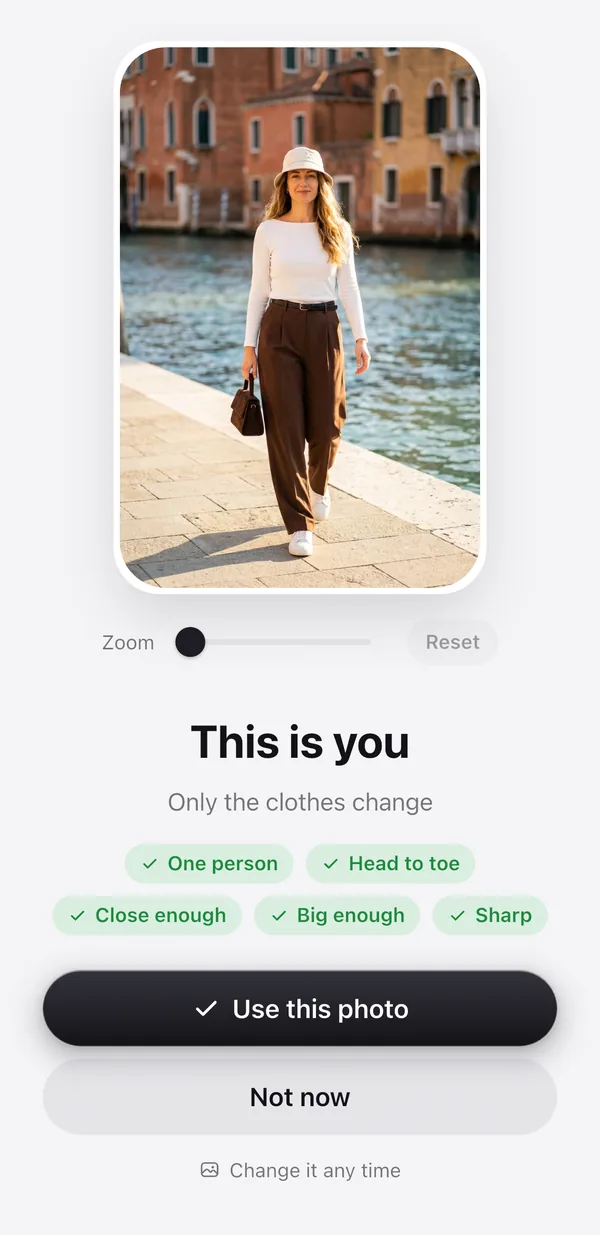
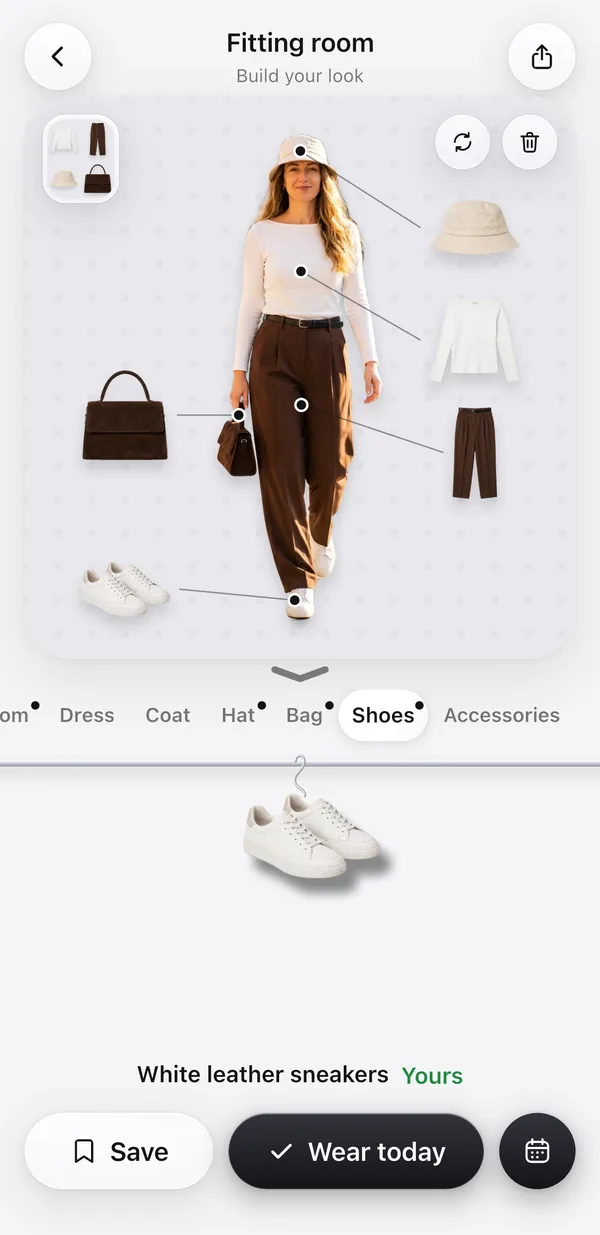
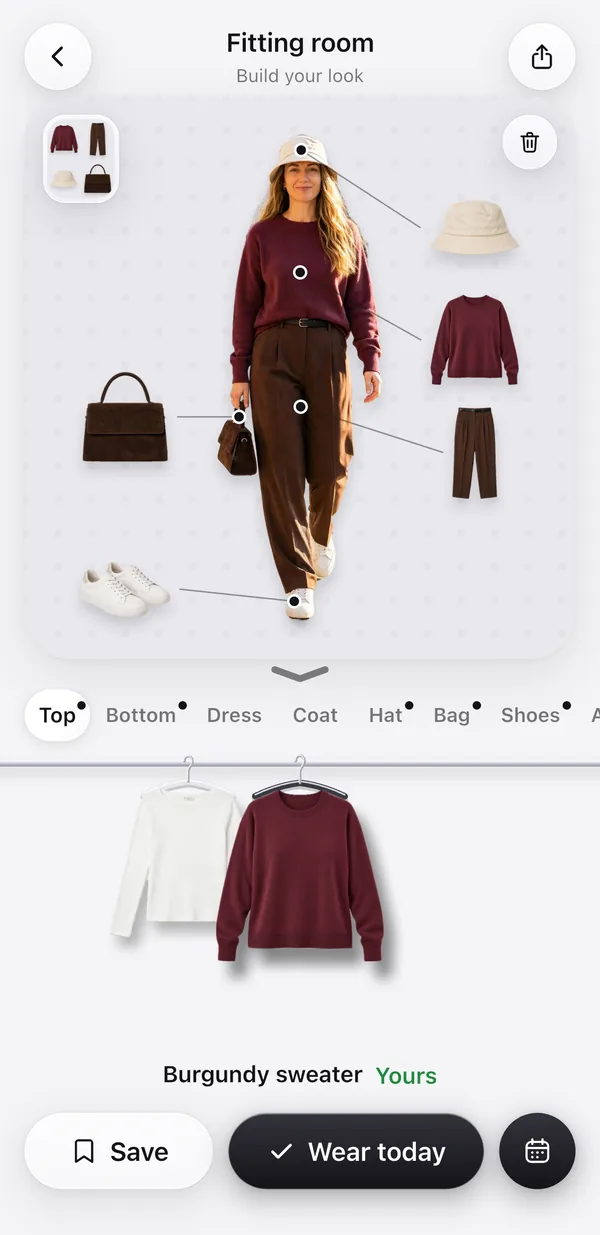

The woman is AI-generated, not a real person. The try-on is a real run of Create with AI on October 23, 2026, unretouched: her white top was swapped for a burgundy sweater from the closet, and her face, hair, hat, trousers, bag, shoes and the background stayed the same.
Two ways to see it
| Lookbook | Create with AI | |
|---|---|---|
| What you see | You cut out, with the outfit’s pieces beside you | You wearing the outfit, on your own photo |
| Cost | Free | 1 AI credit |
| Where it’s made | On your phone | By our AI provider, after you allow it |
| Time | Instant | Usually under a minute |
If the outfit is exactly what you’re wearing in your photo, Wearbird shows your photo itself, for free.
Good to know
- New users get 3 free AI credits. Each Create with AI uses 1, and a picture that fails gives its credit back.
- Your photo needs one person, head to toe, and at least 800 px on its short side.
- For Create with AI, your photo goes to our AI provider, OpenRouter, only after you say yes. Our server deletes it within 48 hours, and it is never used to train AI models. The result is kept on your phone.
Questions
Is there a free app that shows outfits from my own closet on a photo of me?
Yes. Wearbird is free on iPhone and iPad. Its lookbook view shows any outfit from your closet next to a cut-out of you, for free and on your phone. Create with AI then puts the outfit on your photo for 1 AI credit, and new users get 3 free credits.
What photo should I use?
A full-length photo of just you, head to toe, sharp and at least 800 px on its short side. A mirror selfie works well. Wearbird checks the photo on your phone before it uses it.
Does Create with AI change my face or body?
It is asked to change only the clothes. In our test, the face, hair, pose, the rest of the outfit and the background matched the original photo.
How much does it cost?
The lookbook is free. Create with AI uses 1 AI credit per picture. New users get 3 free credits, and a picture that fails gives its credit back.
Where does my photo go?
Your photo and your closet pictures stay on your phone. Only for Create with AI, and only after you allow it, the photo goes to our AI provider, OpenRouter. Our server deletes it within 48 hours, and it is not used to train AI models.
More about Wearbird
Wearbird is free on iPhone and iPad.