Make outfits from clothes you already own
Wearbird is a free digital closet and outfit maker for iPhone and iPad. Every outfit it suggests comes from clothes you already own, and it shows you how many looks your closet can make.
Last updated: October 23, 2026
The short answer: add your clothes to Closet, then mix them into outfits three ways: build a look yourself in the fitting room, take one of Today’s ideas for the day, or ask for a look in a few words, like “dinner Friday, not too dressy”. Nothing you don’t own is ever put in a look.
How it works
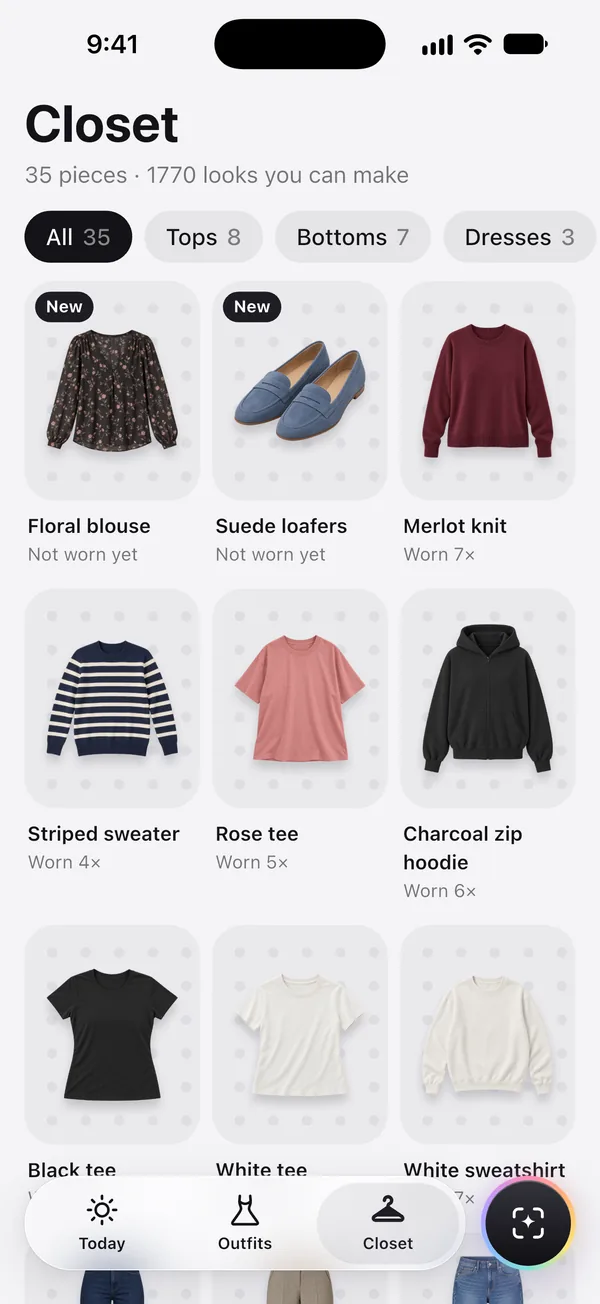
- Build your closet. Add a piece with the camera, from Photos, or from a frame of a video. Its background comes off on your phone, and Wearbird guesses its kind, colour, warmth and dressiness there too. You can change any of them.
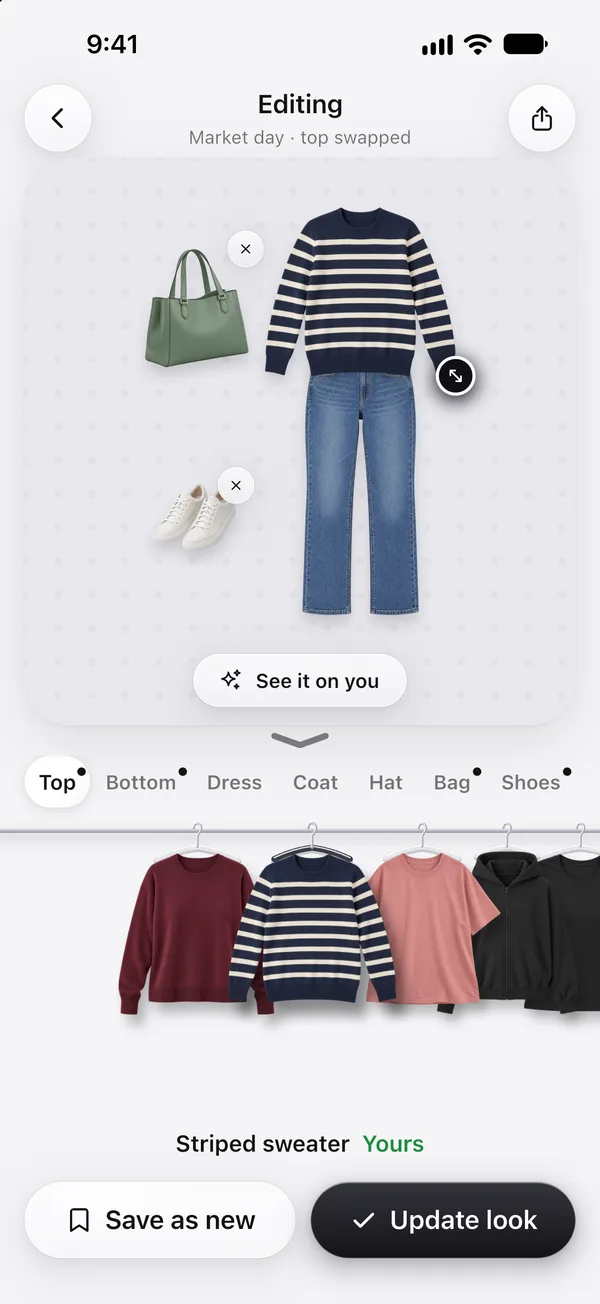
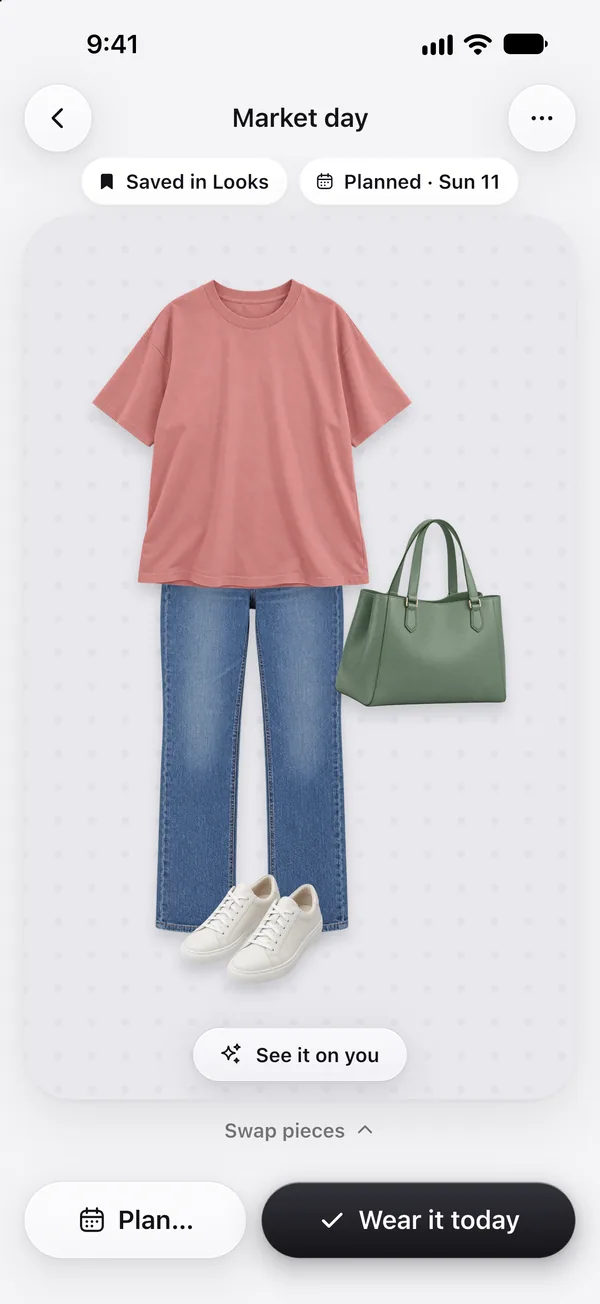
- Make a look. Pull pieces off the clothes rail onto the board, or tap Dress me in it on any piece to start a look around it. Save the looks you like; they live in Outfits.
- Let Wearbird mix. Today suggests looks from your closet for each day and moment, and Ask for a look answers what you need in your own words.
Ways to get an outfit
- The fitting room. Your clothes hang on a rail by kind: tops, bottoms, dresses, coats, hats, bags and shoes. Tap one to put it on the board, then Save or Update look.
- Today’s ideas. Each day and moment gets ideas that fit the weather, the dress code (work, a dinner, a date) and colours that go together. Pieces you wore in the last few days come up less.
- Ask for a look. Type what you need, or tap a quick choice like Rain all day, Interview or Date night. You get up to three looks from your closet. When nothing fits, Wearbird shows the nearest look and names the one piece that would make it work.
- Ideas from your closet. Closet points out a piece that isn’t in any outfit yet (“No outfit with your green skirt yet”), a piece you’ve never worn, or the one piece that would add the most new outfits.
- Not for me. Hold a look and say what’s off: too dressy, too warm, not these two together, or just not your style. Wearbird remembers, and you can change what it learned under You.
See what you really wear
Closet sorts by most worn, least worn, cost per wear, colour or newest, and filters by warmth, dressiness or “Not worn in 30 days”. Your closet shows how much of it you wore in the last 30 or 90 days, your most worn pieces, and your colours.
Good to know
- Wearbird only uses what you add. Your closet photos stay on your phone and are not backed up, so removing the app removes them.
- Ask for a look reads your typed words on your phone first, with Apple’s on-device model where your device has one. They go to our AI provider only if you allowed AI features, and they aren’t kept. The quick choices need nothing typed.
- Shopping for a missing piece in online stores is US only.
- There’s no sign-in yet, so each device keeps its own closet.
Questions
Which app makes outfits only from clothes I already own?
Wearbird, free on iPhone and iPad. You add your clothes to its closet, and every look it suggests or saves is made only from those pieces. It never fills a look with clothes you don’t own.
How do I get my clothes into Wearbird?
Take a photo of a piece, pick one from Photos, or choose a frame from a video. Wearbird cuts the piece out of its background on your phone, for free. With Lift with AI, one photo of a whole outfit becomes a separate product shot of each piece, for 1 AI credit.
Does it suggest outfits for me?
Yes. Today suggests looks from your closet for each day and moment, fitted to the weather and the occasion, and Ask for a look answers requests like “rooftop dinner, rain”. Both are free and use no AI credits.
How many outfits can my closet make?
Closet shows the count under its title, like “35 pieces · 1770 looks you can make”. It counts every top with every bottom, plus every dress, combined with your coats, hats and bags, so it grows as you add pieces.
Can it tell me what’s missing from my closet?
Yes. Closet can name the one piece that would add the most new outfits with what you own, such as a cream smart top, and how many outfits it would add. In the US, it can then look for that piece in online stores.
Does Wearbird learn my style?
Yes. When a look is wrong, hold it and tell Wearbird why: too dressy, too casual, too warm, too cold, not these two together, or not your style. Later ideas avoid it, and you can review or undo what it learned.
More about Wearbird
Wearbird is free on iPhone and iPad. No ads, no subscription.