Plan your outfits for the week
Wearbird is a free outfit planner for iPhone and iPad. You put an outfit from your own closet on each day of the week, with that day’s forecast and calendar in view, and it reminds you in the morning.
Last updated: October 23, 2026
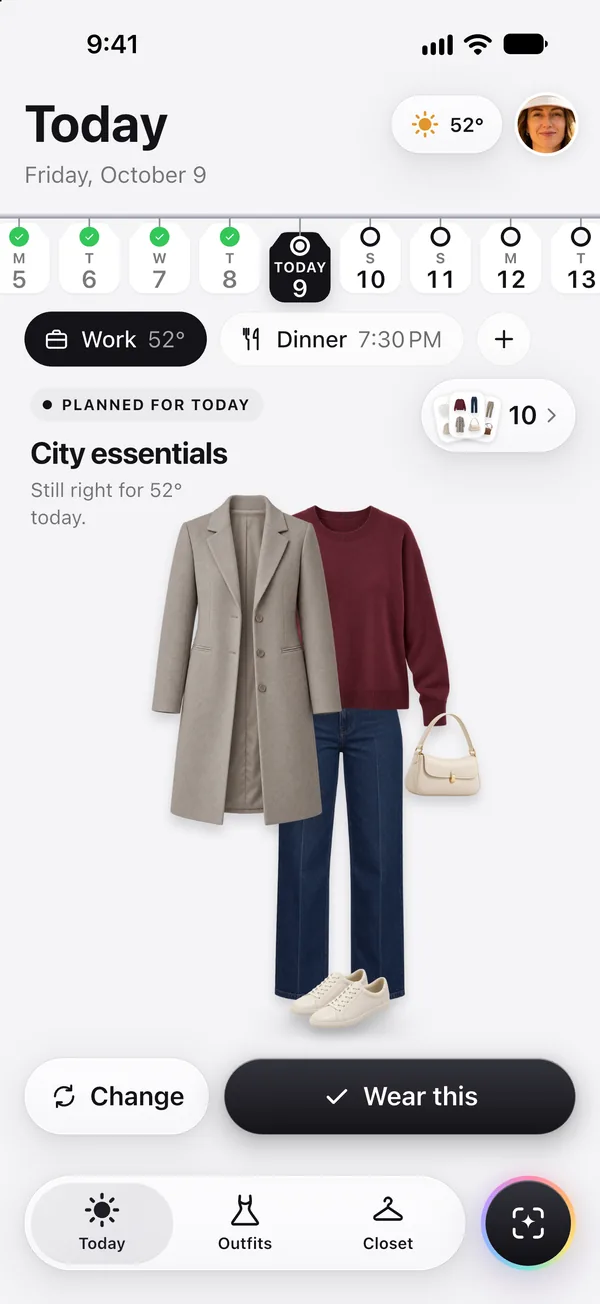
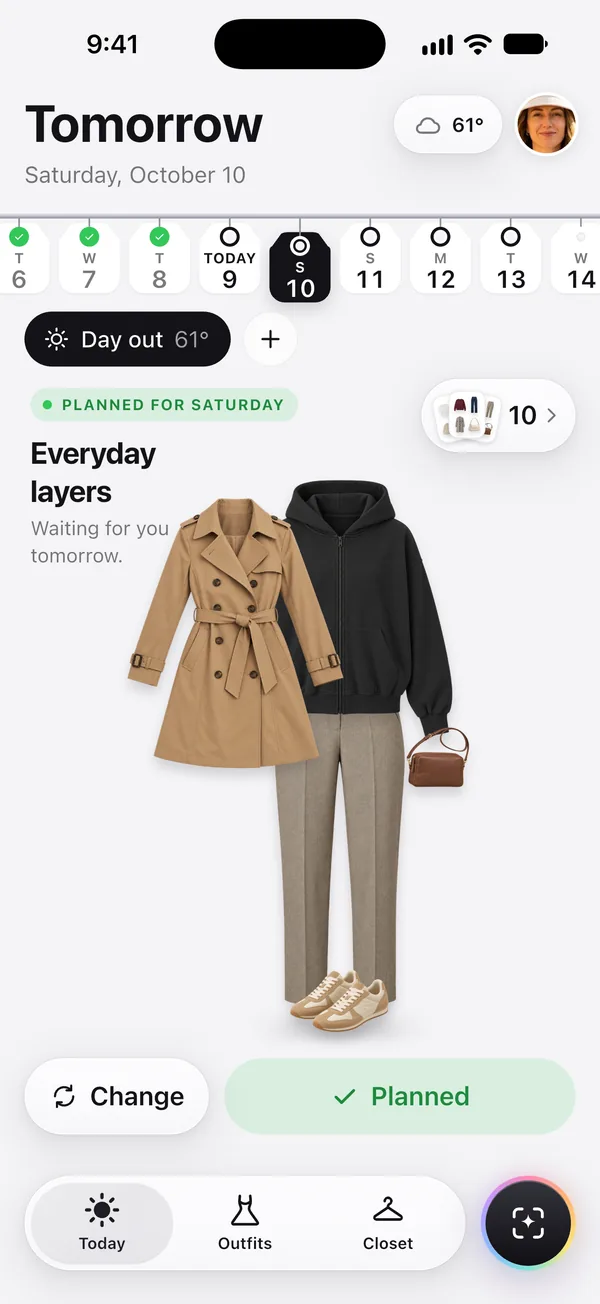
The short answer: open Today, tap a day in the day strip, and choose an outfit for it, either one of Wearbird’s ideas or a look you put together yourself. Planned days show their look, and days you wore something get a check mark.
How it works
- Add your clothes. Take a photo, pick one from Photos, or choose a frame from a video. Cutting the piece out of its background happens on your phone, for free.
- Pick a day. The day strip on Today shows the week. Tap a day to see its weather, its moments (work, a dinner, your calendar events) and outfit ideas made only from your closet.
- Plan it. Choose an idea or build a look, then tap Plan for that day. On the morning, Today opens on that look. Tap Wear this when you put it on.
What you can plan
- Your week. Tell Wearbird which days are work days. Each day then starts with the right moment, Work or Day out, so its ideas fit.
- Moments inside a day. Add a moment like “Dinner · 7:30 PM” and it gets its own look. A later moment keeps a piece of the earlier look when it can, so the evening asks for a change of top, not of everything.
- Your calendar. If you allow it, your calendar events show up as moments. Event titles, times and places stay on your phone.
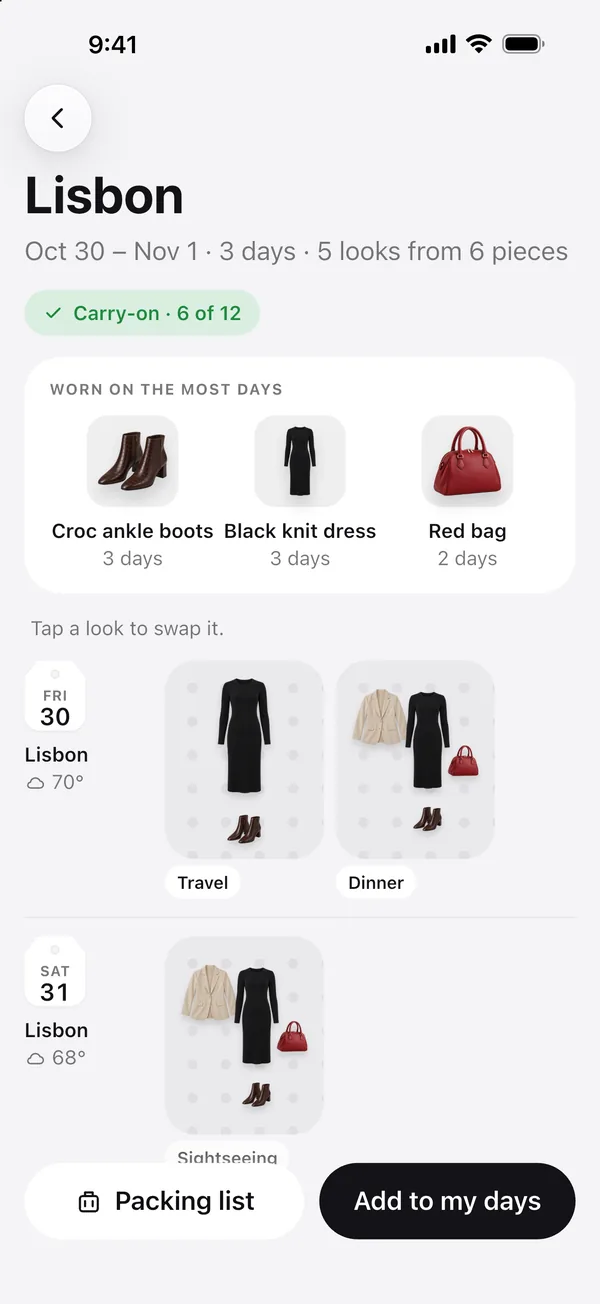
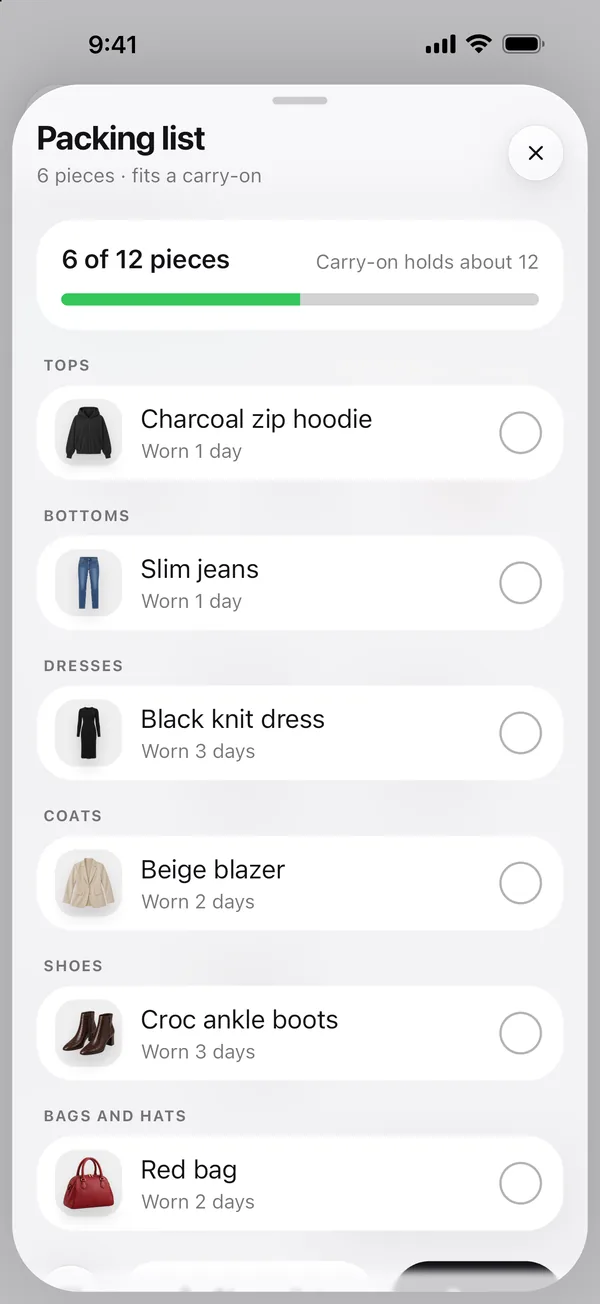
- Trips. Add the cities, their days and what you’ll do there (work, dinners out, sightseeing). Wearbird plans a look for every part of every day from your closet, with as few pieces as it can, and makes a packing list you can share.
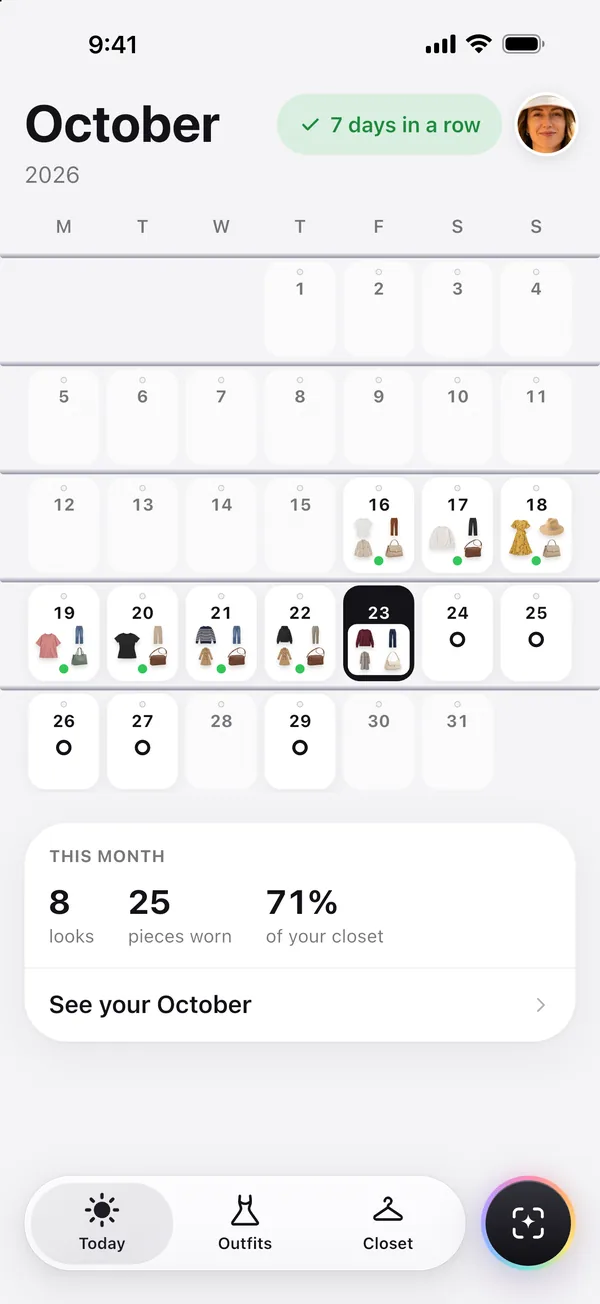
- The month. Pinch Today to zoom out to the month. You see what you planned and wore, your streak of days in a row, and a recap of the month you can share.
- Reminders. A morning reminder shows the look you planned, and an evening one asks what you wore, only on days you haven’t logged. Reminders are made on your phone; nothing is sent to us.
Log what you really wear
Tap Wear this on Today when you put an outfit on, and Wearbird counts it. Closet then shows how often you wear each piece, what hasn’t been out in 30 days, and your cost per wear if you add what you paid. In your photos can find the photos on your phone where you wore a piece, so you can log past days too.
Good to know
- Wearbird is for iPhone and iPad with iOS 17.6 or later. There is no Android or web version.
- There’s no sign-in yet, so each device keeps its own closet and plans. An iPhone and an iPad don’t share them.
- Planning, outfit ideas, trips, reminders and the month view use no AI credits.
Questions
Is Wearbird’s outfit planner free?
Yes. Planning outfits, outfit ideas, trips, reminders and the month view are free and use no AI credits. Wearbird has no ads, no subscription and no in-app purchases.
Can I plan outfits around my calendar?
Yes, if you allow calendar access. Your events show up on Today as moments, each with its own look. Event titles, times and places stay on your phone, and you can turn the calendar off in the app at any time.
Does Wearbird plan outfits for a trip?
Yes. Add the cities, the days you’re in each, and what you’ll do there. Wearbird plans a look for every part of every day from your closet, using the forecast from Apple Weather when it has one, and packs as few pieces as it can. You get a packing list you can share as text or as an image.
Will it remind me what I planned?
Yes. On mornings you planned a look, a reminder shows it. An evening reminder asks what you wore, only on days you haven’t logged. You choose the times, or turn reminders off, in the app.
Can I keep track of what I actually wore?
Yes. Tap Wear this on Today when you put an outfit on. Wearbird counts every wear, so Closet can sort your pieces by most worn, least worn or cost per wear, and the month view shows your streak. In your photos can log earlier days from the photos on your phone.
Does the outfit planner work on iPad?
Yes. Wearbird runs on iPhone and iPad with iOS 17.6 or later. For now each device keeps its own closet and plans, because there is no sign-in yet.
More about Wearbird
Wearbird is free on iPhone and iPad. No ads, no subscription.